
Which devices can control a smart home?
Your phone or tablet, a Josh Edge handheld remote, a Josh Touchscreen (8 or 10 inch, on the wall or on a bedside table), the AVA remote running Josh.ai, or your voice. All of them run the same Josh.ai system, so lights, shades, thermostats, music and TVs respond the same way from any of them, at home or away.
Lights programmed to change together are called a scene. A scene can vary by time of day and can be linked in a sequence, such as an evening scene that dims the kitchen and lowers the shades. Smart home lighting is programmed to the way you use each room.
How does Josh.ai voice and app control work?
Josh.ai is the control platform Smarter Homes programs for lighting, shades, climate, music, video and security. You speak in plain language or press a button, and Josh runs the scene you set up together. The same scenes are in the app, on the Josh Edge remote and on any Josh Touchscreen in the house.
Press “Movie” on your Josh Edge remote, or say, “Josh, let’s watch a movie.” The lights dim to the level you chose, the shades lower to block glare, the TV turns on and the surround sound switches to the right input. From the same remote you can move through streaming apps, change the volume or switch scenes.
The Josh app runs on iPhone and Android and works away from home as well as on your own network. Josh.ai is built around privacy, which matters when microphones are in bedrooms and offices; see voice control for how it compares with consumer voice assistants.
Which device goes where? We usually suggest a Josh Edge remote in each TV room, a Josh Touchscreen at the main entry, kitchen or primary bedside, and the app for everyone in the household. If you prefer a larger handheld screen, the AVA remote running Josh.ai is the alternative. See remotes and touchscreens for the models.
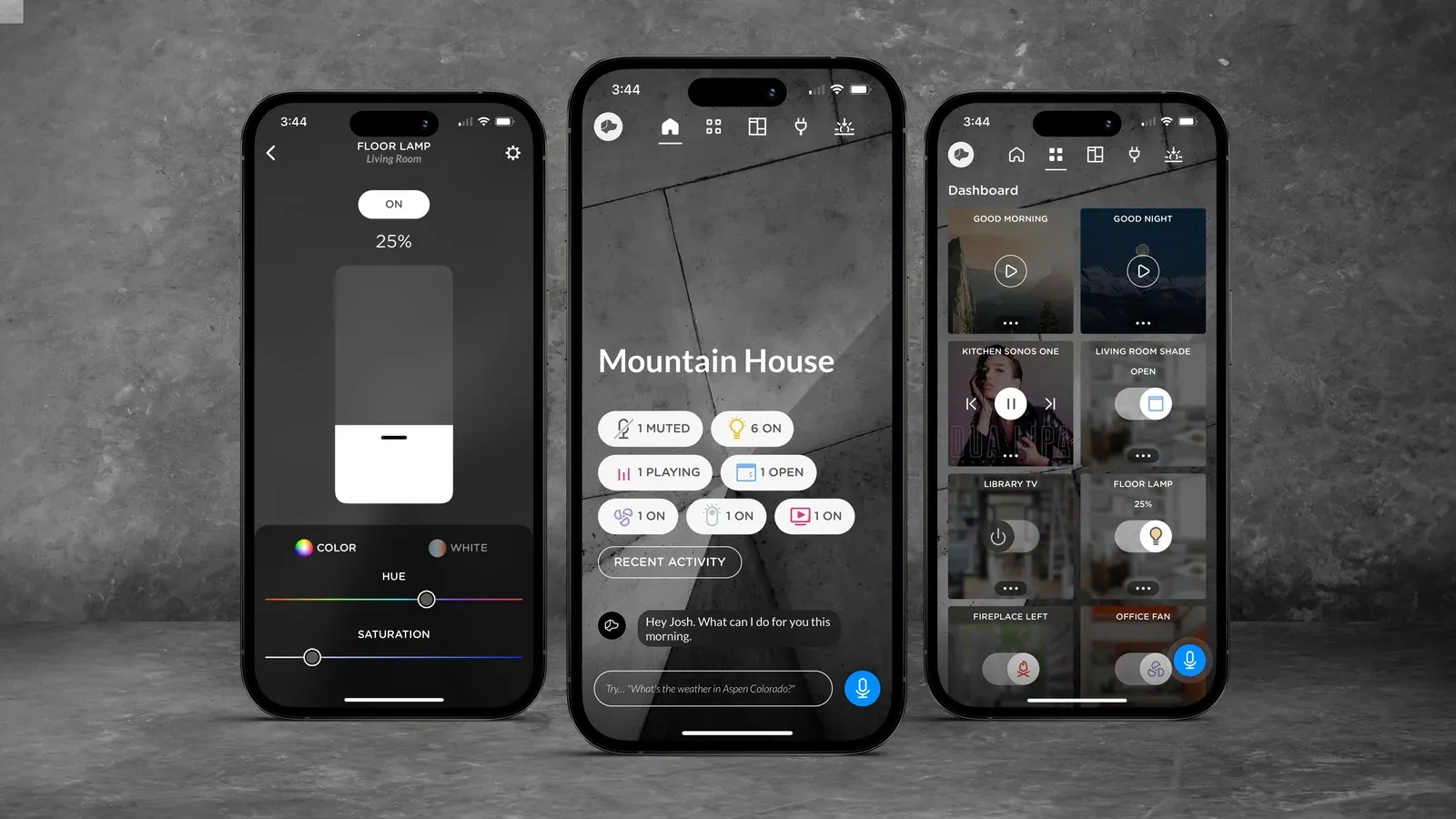
Image: Josh.ai

What can you control from a smart home app?
Anything connected to the system: lights, shades, thermostats, music, TVs, cameras, locks, garage doors, the alarm and, where the equipment allows, the pool and spa. Each control works the same at home or away, and schedules keep running when nobody touches the app. Common tasks look like this:
-
Check the house from anywhere
-
Turn schedules on or off
-
Set a dinner or evening scene
-
Raise or lower shades
-
Shut off everything in one area
-
Turn on lights before you arrive
-
View your cameras
-
Adjust the temperature
-
Turn off every light at bedtime
-
Close the garage doors
-
Heat the pool and spa
-
Lock the doors and arm the alarm
Can one app control music, lights, cameras and the pool?
In most homes, yes. The Josh.ai app brings lighting, thermostats, shades, shared video sources, smart locks, garage doors, security systems and cameras into one place, and pool and spa controllers can be added where the equipment supports it. Sonos still has its own app for browsing music, and Josh can play to any Sonos room.
Because everything is in one app, your family can check a camera, dim the lights and change the music without switching between apps. We set up shortcuts for the scenes you use most, so shades and temperature are one tap away.
For climate, we use Lutron thermostats where they fit the HVAC system and Ecobee otherwise, because it integrates more cleanly than other brands. If the home has a multi-stage or variable-speed system, we keep the manufacturer’s communicating thermostat, since a third-party thermostat can drop the in-between stages and lower efficiency; app control then depends on what that brand allows.
Why some apps connect to everything and others do not: open vs closed APIs in smart home control. See how app control fits into whole-home automation and voice control with Josh.ai. For Lutron lighting and shade detail, visit Austin Lutron.

Our partners


Frequently Asked Questions
What can I actually control from a smart home app?
Almost anything connected: lighting, motorized shades, thermostats, garage doors, security, locks, cameras, music, and pool systems. Most homes start with one app per product (Lutron, MyQ, Alarm.com, Sonos, Apple TV). An integrated smart home app brings those together into rooms, scenes, and automations, so a single Welcome Home command can unlock the door, disarm the alarm, set lights, adjust shades, and set the thermostat.
What is Josh.ai, and why does Smarter Homes use it?
Can I set my home to run automatically without having to control it manually?
Is there a learning curve to using smart home app control?
What if I have guests or family members who are not tech-savvy?
Why does Smarter Homes prefer a subsystem-based smart home design?
Can a smart home app control work during an internet outage?
Who installs smart home app control systems in Westlake, Barton Creek, Bee Cave, and Austin?
How do we set up app control in your home?
We list the systems in your home, connect each one to Josh.ai, then name rooms and scenes the way your family talks about them. Next we set up the app on each household phone, pair any Josh Edge remotes and touchscreens, and walk you through it before we leave. Smarter Homes has programmed Austin homes since 2006.
If another company installed your system, we can take it over when the network is UniFi, remote management runs on OvrC and the system was built subsystem-first, from the network foundation up. Otherwise we start with an assessment and tell you what needs to change before Josh.ai goes on top.